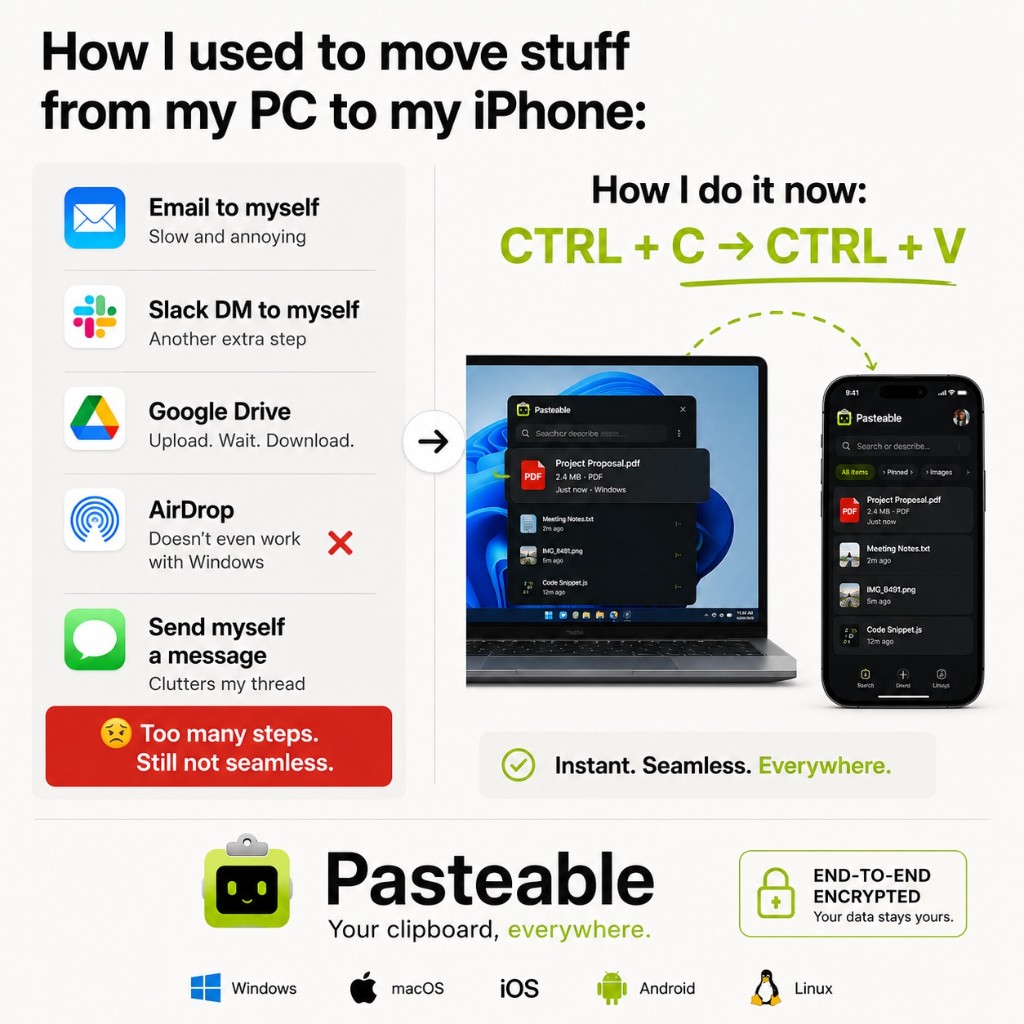
Pasteable vs the field
Fair, specific comparisons — we name what each competitor does well, then show exactly where Pasteable wins. Pick the tool you are comparing against:
Pasteable vs Paste
the Mac clipboard classic
Paste (pasteapp.io) is one of the oldest and prettiest Mac clipboard managers — rich previews, pinboards, and iCloud sync across Mac, iPhone, and iPad. It is a polished Apple app. The catch: it stays on Apple platforms, it is a subscription, and its sync goes through iCloud, so it cannot reach a Windows or Linux machine.
Free · Pro $6/mo or $60/yr · $80 founder lifetime vs Subscription
Pasteable vs Raycast
the Mac launcher with a clipboard history
Raycast is a superb Mac launcher, and it bundles a free, fast clipboard history. For Mac users who already live in Raycast, that history is great. But clipboard is a side feature of a launcher — its clipboard history stays on one machine, there is no Linux or Android version, and the Pro tier is meaningfully more expensive than a clipboard manager needs to be.
Free · Pro $6/mo or $60/yr · $80 founder lifetime vs Free / Pro from $8/mo
Pasteable vs Maccy
the lightweight, open-source Mac manager
Maccy is beloved: open-source, lightweight, private, and nearly free. It is exactly the right tool if you want a no-frills, local-only Mac clipboard history. Its limits are scope — basic features, Mac only, and no cloud sync, AI, mobile, or expansion. Pasteable’s free tier covers that local-first use case and then keeps going.
Free · Pro $6/mo or $60/yr · $80 founder lifetime vs Free / $9.99 App Store
Pasteable vs Ditto
the powerful, free Windows clipboard manager
Ditto is a legend on Windows — free, open-source, and surprisingly powerful, with network-based sync between machines. For a Windows-only power user it is a serious tool. Its age shows in the UI, sync is manual network sharing rather than end-to-end encrypted cloud, and there is no Mac, Linux, iOS, Android, or AI.
Free · Pro $6/mo or $60/yr · $80 founder lifetime vs Free
Pasteable vs Alfred
the Mac launcher with clipboard history
Alfred is a Mac institution — a launcher, workflow engine, and clipboard history rolled into one. The clipboard manager is part of the Powerpack paid tier and works well for local Mac history. But Alfred is Mac-only, clipboard is a secondary feature, and there is no cross-device sync, AI search, or mobile companion.
Free · Pro $6/mo or $60/yr · $80 founder lifetime vs Free / Powerpack £34+
Pasteable vs Copied
the cross-platform clipboard app that went quiet
Copied was a promising Mac and iOS clipboard manager with a clean UI and cloud sync. It earned a loyal following. But updates have been rare for a long time, and there is no Windows, Linux, or Android support. Pasteable covers the same cross-device vision with active development.
Free · Pro $6/mo or $60/yr · $80 founder lifetime vs One-time purchase
Pasteable vs Flycut
the free, open-source Jumpcut successor
Flycut is a free, open-source Mac clipboard manager — a fork of Jumpcut. It is minimal, fast, and does exactly one thing: remember your text clipboard history. It is perfect if that is all you need. There is no cloud sync, no images, no search beyond plain text, no mobile, and no AI. Pasteable’s free tier covers that local text history and then keeps going.
Free · Pro $6/mo or $60/yr · $80 founder lifetime vs Free / open source
Pasteable vs PastePal
the polished indie Mac clipboard manager
PastePal is a well-designed, affordable Mac clipboard manager from an indie developer. It has a clean UI, good search, and iCloud sync across Mac and iOS. It is a solid choice for Apple-only users. But it stops at Apple — no Windows, Linux, or Android.
Free · Pro $6/mo or $60/yr · $80 founder lifetime vs One-time purchase
Pasteable vs ClipboardFusion
the Windows clipboard manager by Binary Fortress
ClipboardFusion is a capable Windows clipboard manager from Binary Fortress Software. It handles text scrubbing, macros, and cloud sync via their service. For a Windows-only power user who wants macros and scrubbing, it is a real tool. But it is Windows-only, the UI is utilitarian, and there is no Mac, Linux, iOS, Android, AI search, or mobile keyboard.
Free · Pro $6/mo or $60/yr · $80 founder lifetime vs Free / Pro lifetime
Pasteable vs CopyClip
the free Mac App Store clipboard manager
CopyClip is a free Mac clipboard manager available on the App Store. It is simple, sits in your menu bar, and remembers your text clipboard history. It is a fine choice if you want a free, no-frills Mac tool. But it is Mac-only, text-focused, and lacks cloud sync, AI search, images, files, mobile, and expansion.
Free · Pro $6/mo or $60/yr · $80 founder lifetime vs Free
Pasteable vs Unclutter
the Mac notes + clipboard + files combo
Unclutter is a handy Mac utility that combines a clipboard manager, notes, and a file shelf in one dropdown panel. It is a nice all-in-one for Mac users who want those three things together. But it is Mac-only, the clipboard is one of three features (not the focus), and there is no cloud sync, AI search, mobile companion, or cross-platform reach.
Free · Pro $6/mo or $60/yr · $80 founder lifetime vs One-time purchase
Guides by topic
Best clipboard manager
An honest 2026 ranking of the tools people actually use
Clipboard sync
How to sync your clipboard across Mac, Windows, and Linux
Universal clipboard
Apple Universal Clipboard, but beyond Apple
Copy paste between devices
Copy on one device, paste on another
Windows ↔ iPhone clipboard
Copy between a Windows PC and an iPhone
Start free on Mac, Windows, or Linux
Local-first history today. Cross-device sync, AI search, and text expansion whenever you want them.
v3.2.16
Pasteable for iPhone and Android is in App Store and Play Store review right now. Join the waitlist and we’ll email you the moment it’s live — or use the web app in your phone’s browser today.